

Reviews
SprunkiBlox Music Mixing Adventure is a delightful game for music lovers of all ages. Its simple drag-and-drop interface makes it easy to start creating tunes immediately. The seven avatars offer a good variety of sounds, and the solo and mute features give you control over your mix. It is a safe, family-friendly environment that promotes creativity and auditory skills. While it may lack advanced features like saving, the core experience is engaging and fun.
Description
Game Introduction
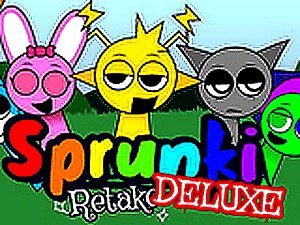
SprunkiBlox Music Mixing Adventure is a creative game where players become music creators. The core objective is to combine different sounds, vocals, beats, and effects to produce a unique musical piece. This game encourages experimentation with various combinations, allowing players to explore their imagination and auditory skills. It is designed for all ages and provides a safe space for musical discovery without any inappropriate content. Whether you aim for a harmonious melody or a quirky tune, this game offers a platform for creative expression. The game is part of the Roblox platform and has a strong fan community, making it a popular choice for those interested in music and creativity.
How to Play
Players typically start by selecting icons and placing them onto avatars using a mouse. Each avatar can hold a different sound, vocal, beat, or effect, allowing for gradual layering of elements. Players can click on any singer to make them perform a solo, mute their sound, or remove them entirely. For a quick reset, a rewind button clears all avatars at once. The controls are simple and intuitive, making it easy for beginners to start creating immediately. Mix and match freely to craft your dream song, even if you want a spooky theme. The game encourages trial and error, so players can experiment with different combinations to discover new sounds and rhythms.
Game Features
Creative music mixing with seven unique avatars. Solo and mute options for individual control. Rewind function to reset all sounds. Safe for all ages with no inappropriate content. Simple drag-and-drop interface. Encourages experimentation and auditory skill development. The game may include various sound categories, such as beats, vocals, and effects, allowing for a wide range of musical styles. Players can layer sounds to create complex compositions or keep it simple for a more straightforward tune. The game is designed to be accessible to everyone, regardless of musical background.
Tips for Success
Experiment with different icon combinations to discover new sounds and rhythms. Try layering beats first as a foundation, then add vocals and effects. Use the solo feature to isolate and adjust each part. Take advantage of the rewind button to start fresh if a mix becomes too chaotic. Practice regularly to develop your ear for harmony and timing. The more you play, the more you will understand how different sounds work together.






03 Comments
Sign in to comment
You must be logged in before posting a review or rating.
No account? Create one
No comments yet. Be the first to comment!